How to Install and Activate Link Whisper

Link Whisper
Last Update 1 年前
Video trouble? Watch on YouTube
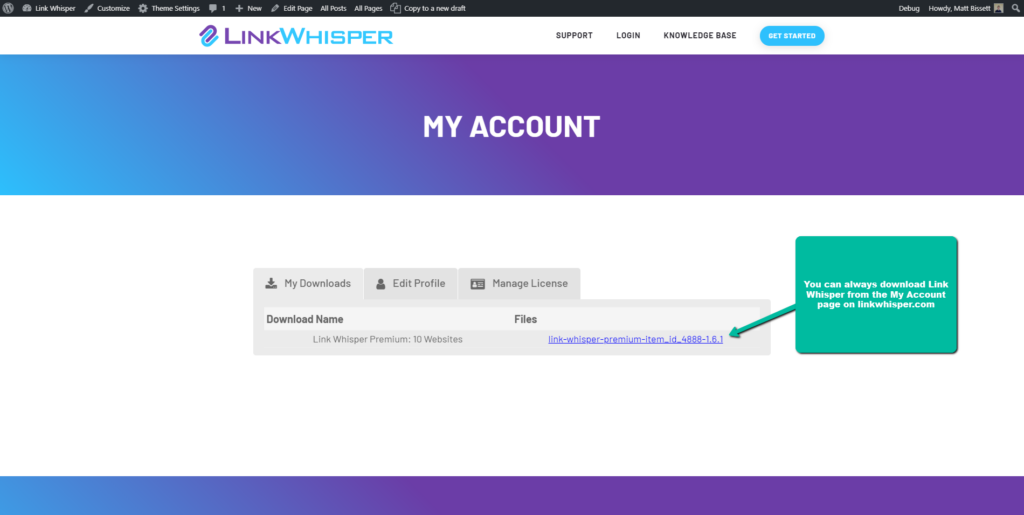
Downloading Link Whisper
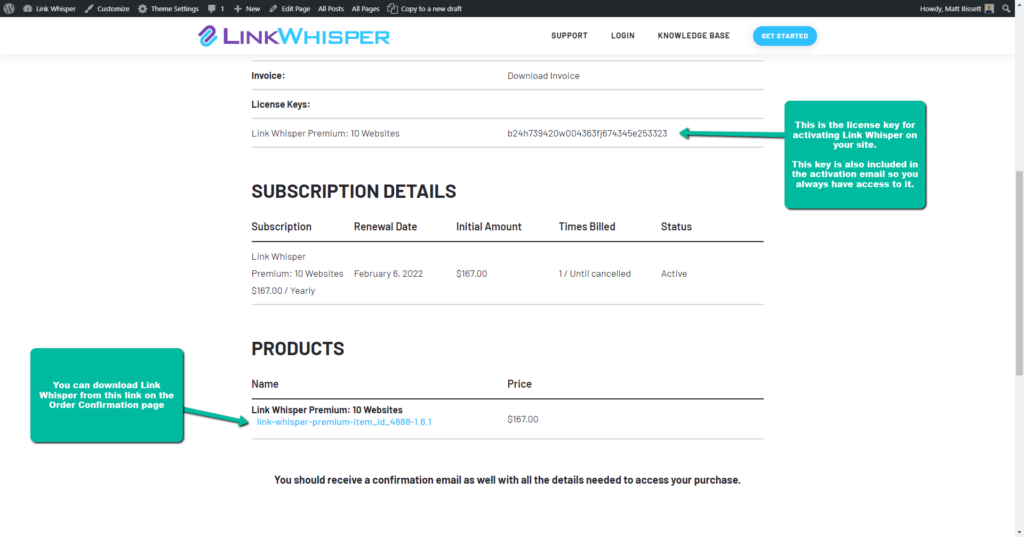
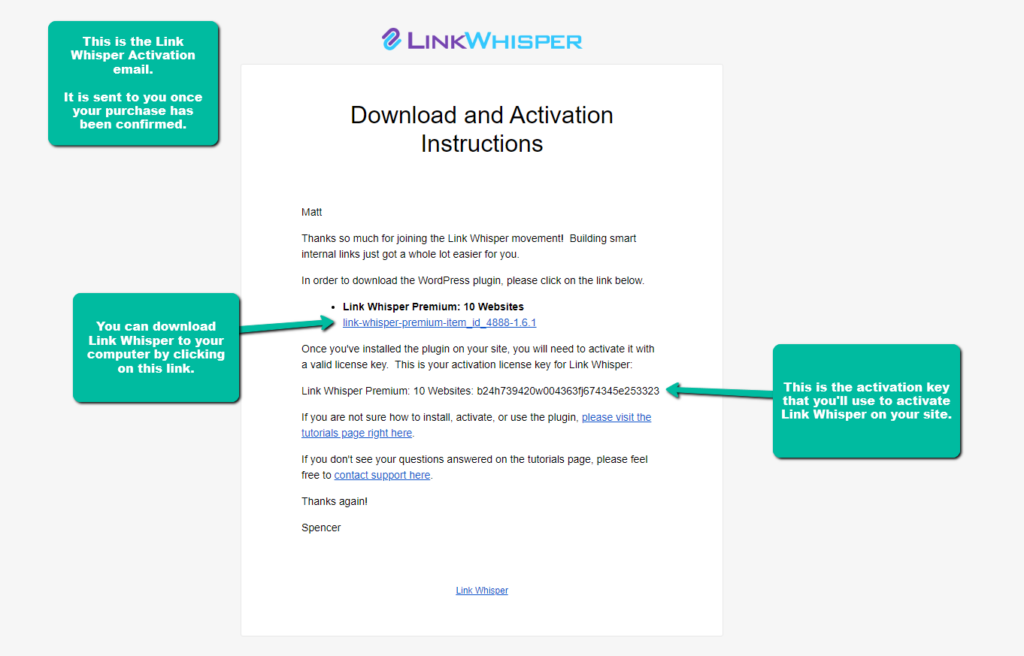
When you download Link Whisper, be sure to copy the License Key to your clipboard. You will need the License Key later to activate Link Whisper on your site.
Installing Link Whisper on your site
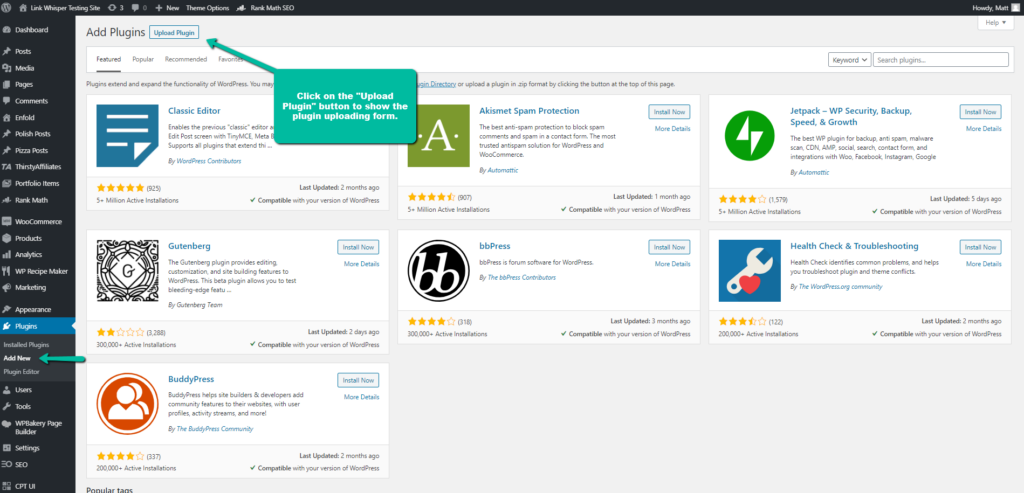
Once you have downloaded Link Whisper to your computer, it's time to upload it to your site. To do this, go to the WordPress Admin and in the Plugins menu item, click the "Add New" link.
At the top of the "Add New" page is an "Upload Plugins" button. Click on it to open the plugin uploading form.
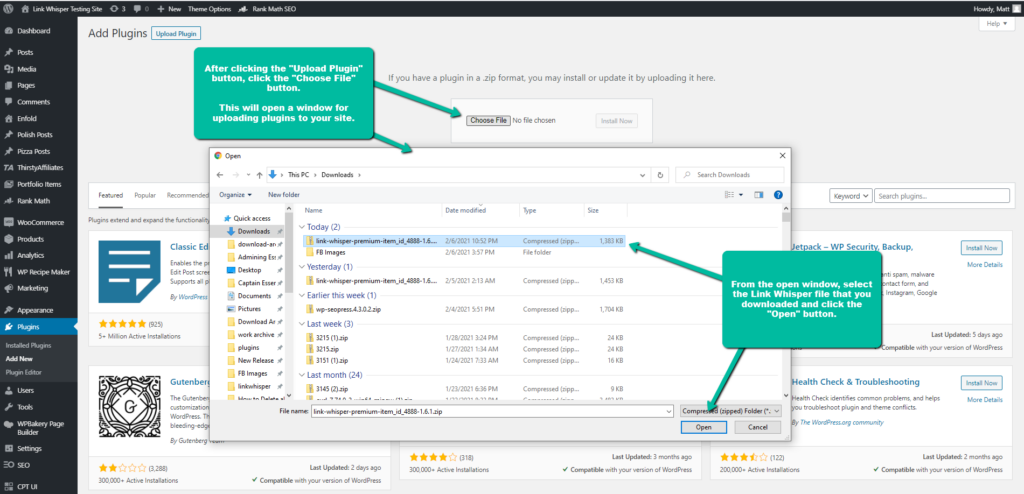
Inside the plugin uploading form, you'll see a button called "Choose File", click on it to open a file browsing window. Inside the window, find and select the Link Whisper files that you just downloaded and click the "Open" button.
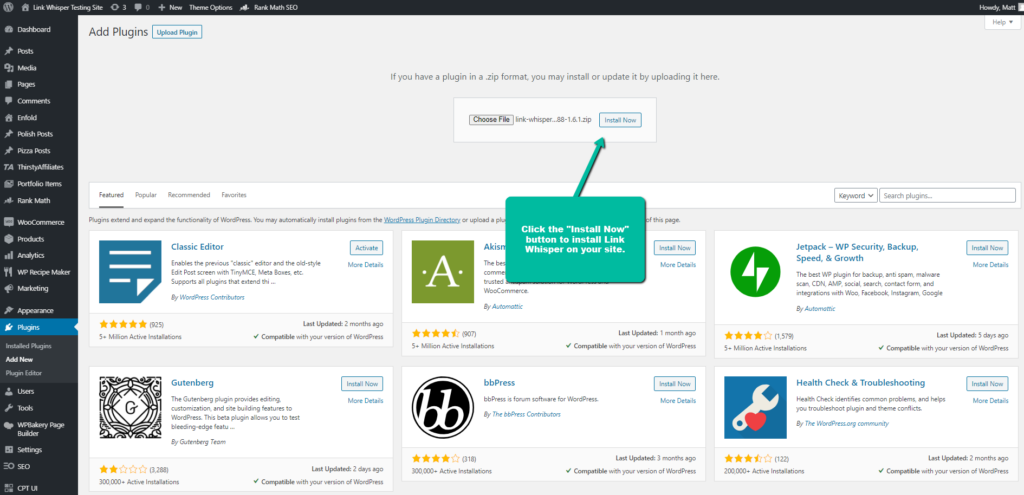
When you've opened the files, click on the "Install Now" button to install the Link Whisper files on your site.
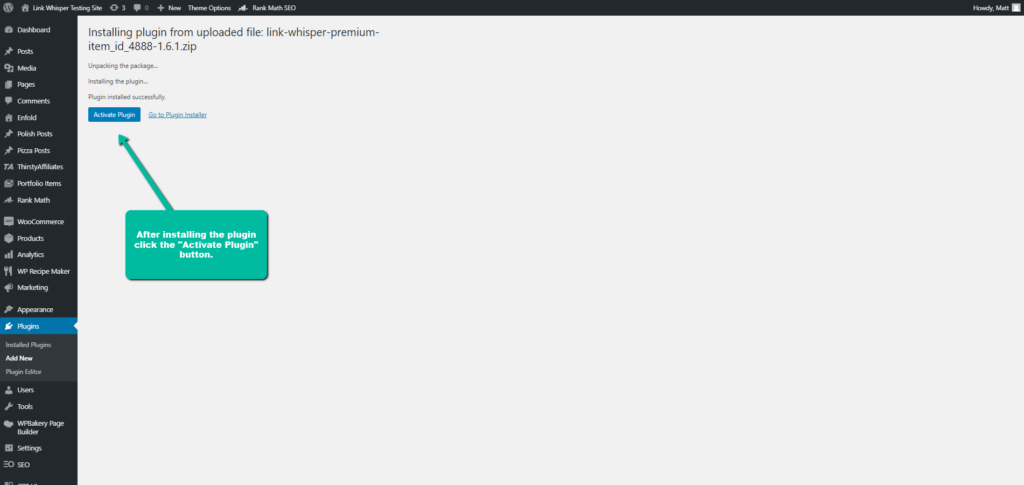
Your site will handle the rest of the file installation. When the installation is complete, click on the "Activate Plugin" button. There are still a few more steps before Link Whisper is fully operational, but we're getting close.
Activating the Link Whisper License
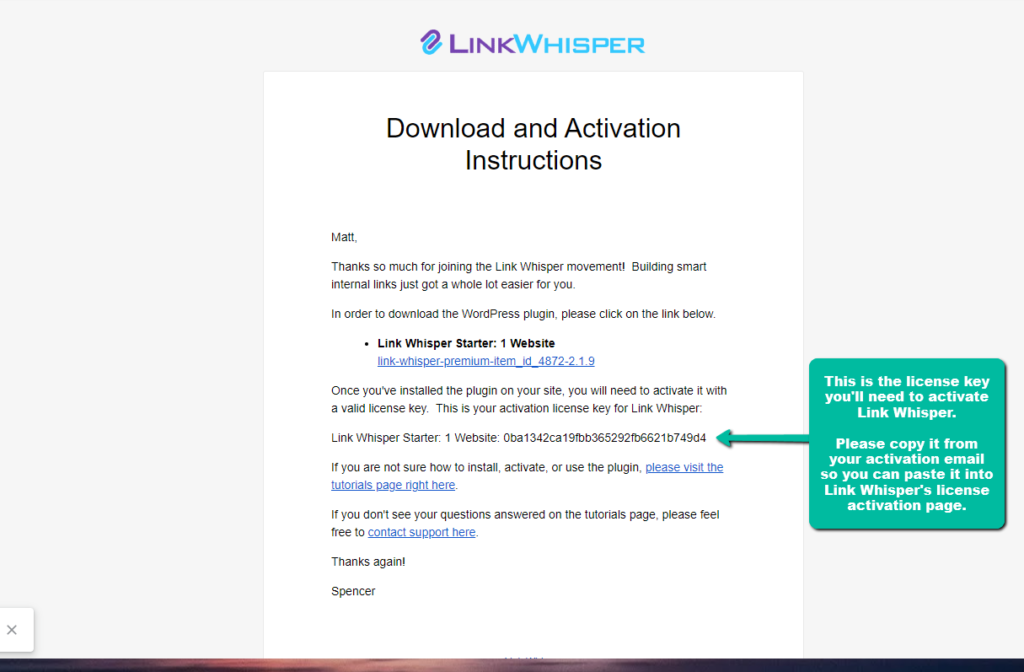
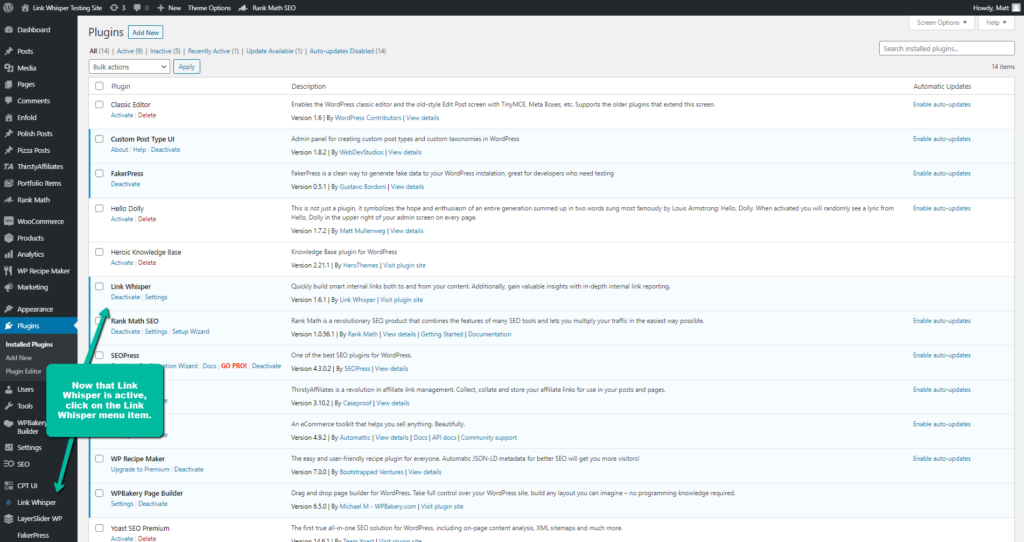
Once you've copied the license key, go back to your site's WordPress admin and click on the Link Whisper menu item. This will take you to the Link Whisper Licensing page.
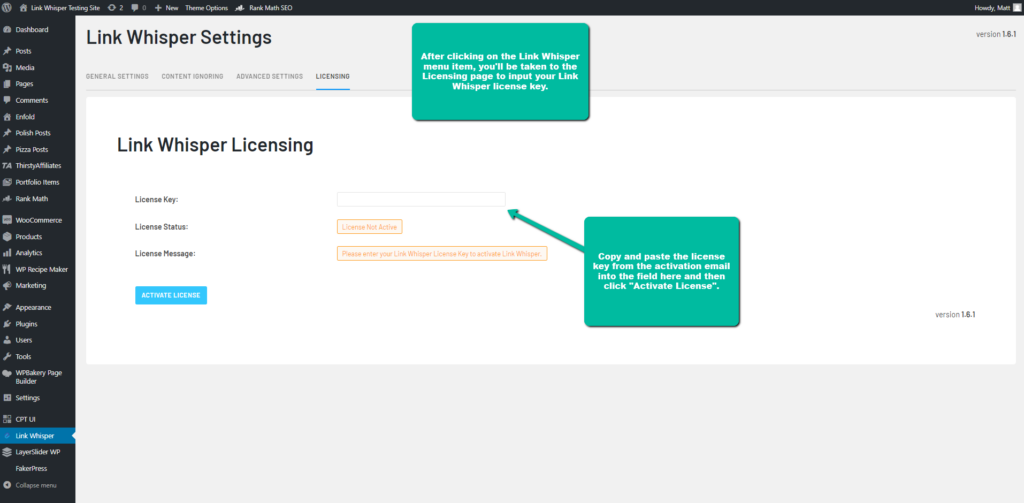
Inside the Link Whisper Licensing page is the form for activating the Link Whisper license. To activate your license, please paste the license key you copied from the activation email into the "License Key" input, then click the "Activate License" to button activate Link Whisper.
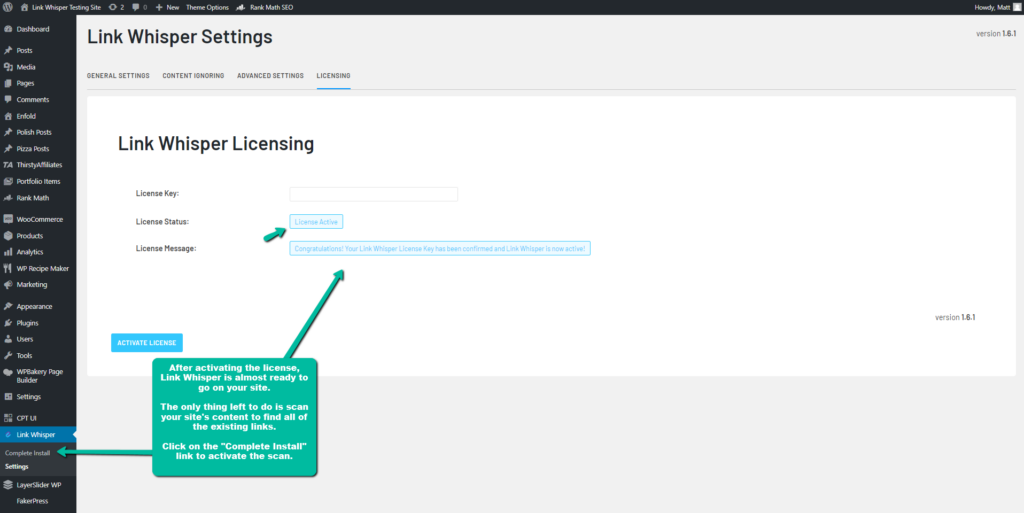
Link Whisper will tell you if the activation was successful or not. If any errors occur during activation, Link Whisper will tell you about them in the "License Message" field.
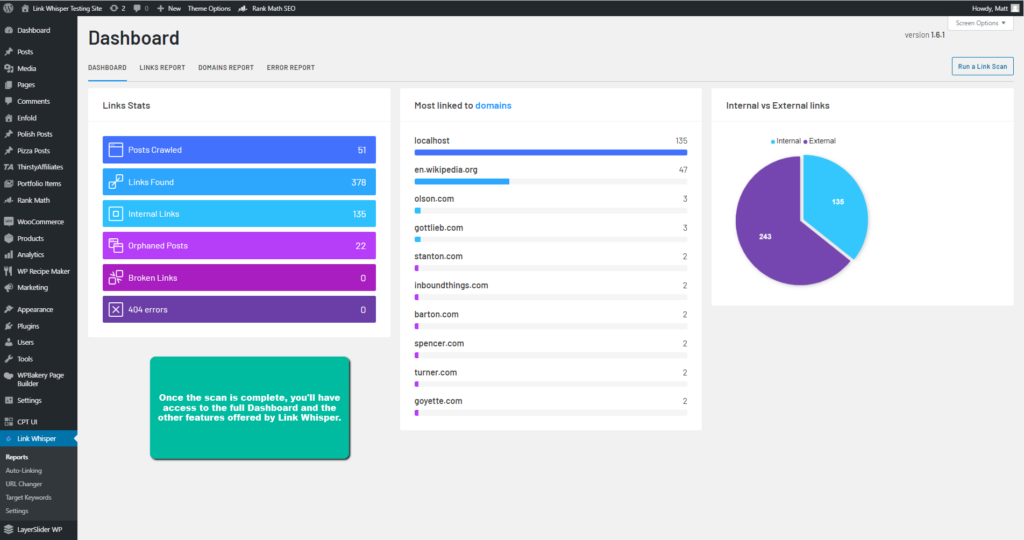
Click on the "Complete Install" button to go to the Dashboard page and activate the scan.
The scan is pretty quick for most sites, but larger ones will take longer. If you close the browser tab that's running the scan, the scan will exit and need to be restarted later.
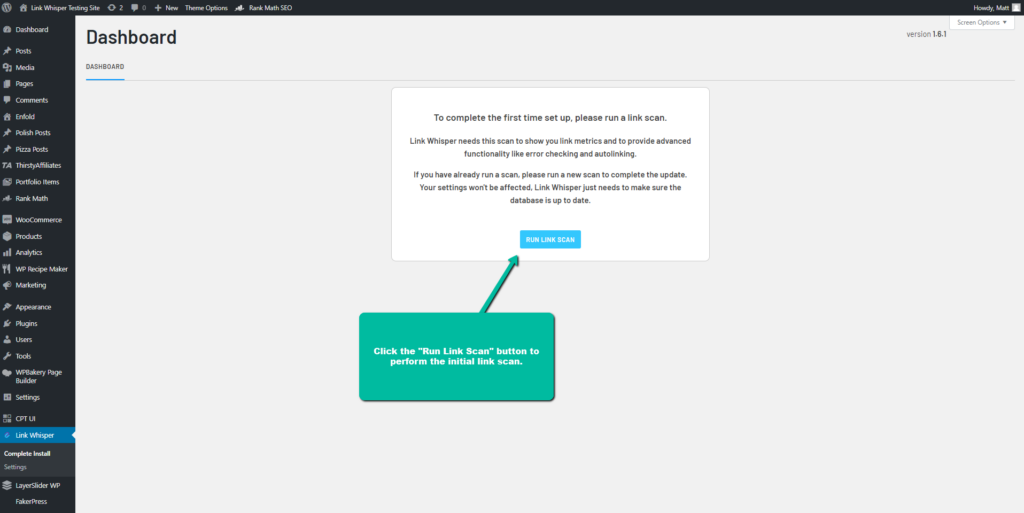
When the scan is complete, you will have access to the full Dashboard and all of the features offered by Link Whisper.